Hello there! You've reached the portfolio-ish site of Ben Leduc-Mills. This website captures some of my career from user research and service design, to interaction design, software engineering, rapid prototyping & digital fabrication, open source hardware, and of course, AI.
The Creation of an AI-integrated UX Research Library at GitLab

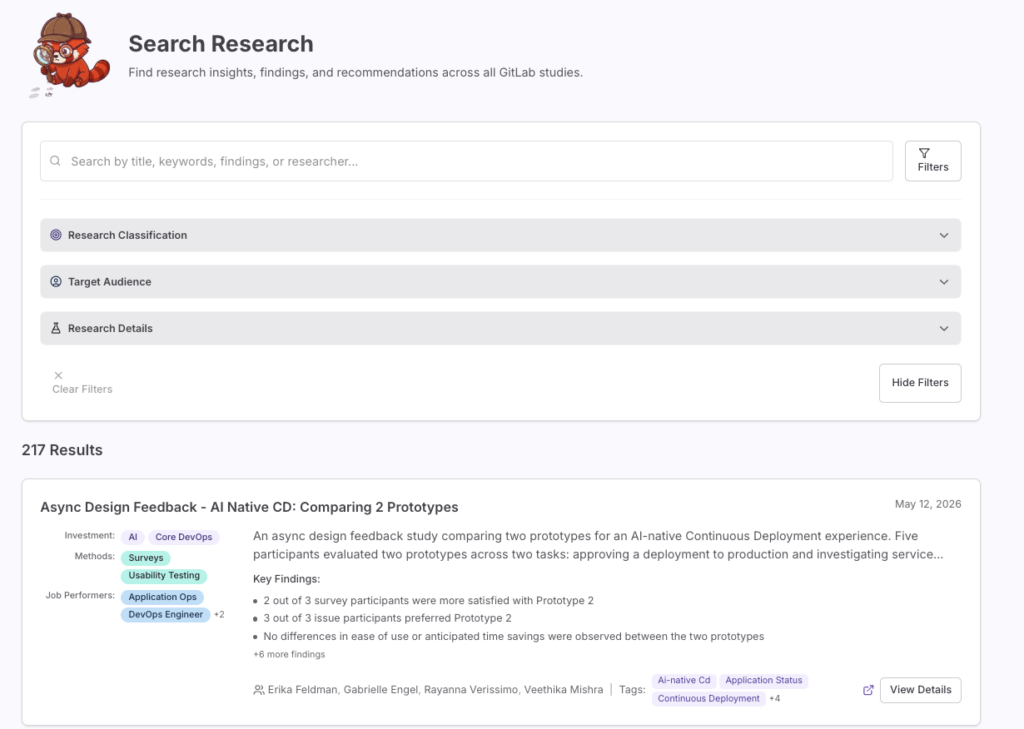
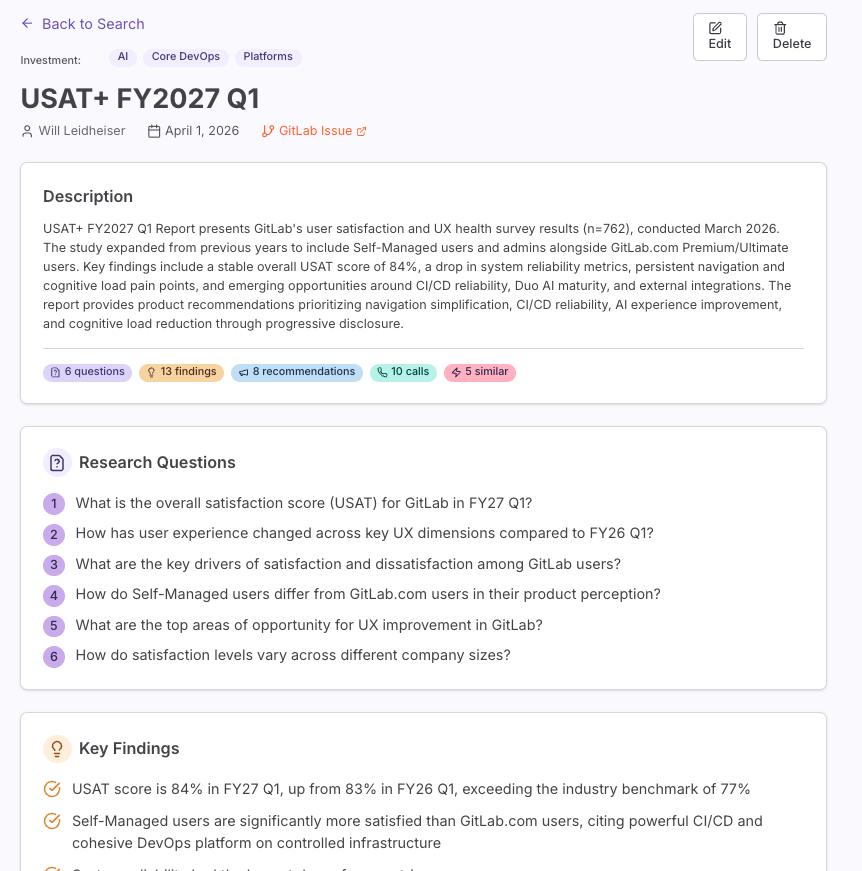
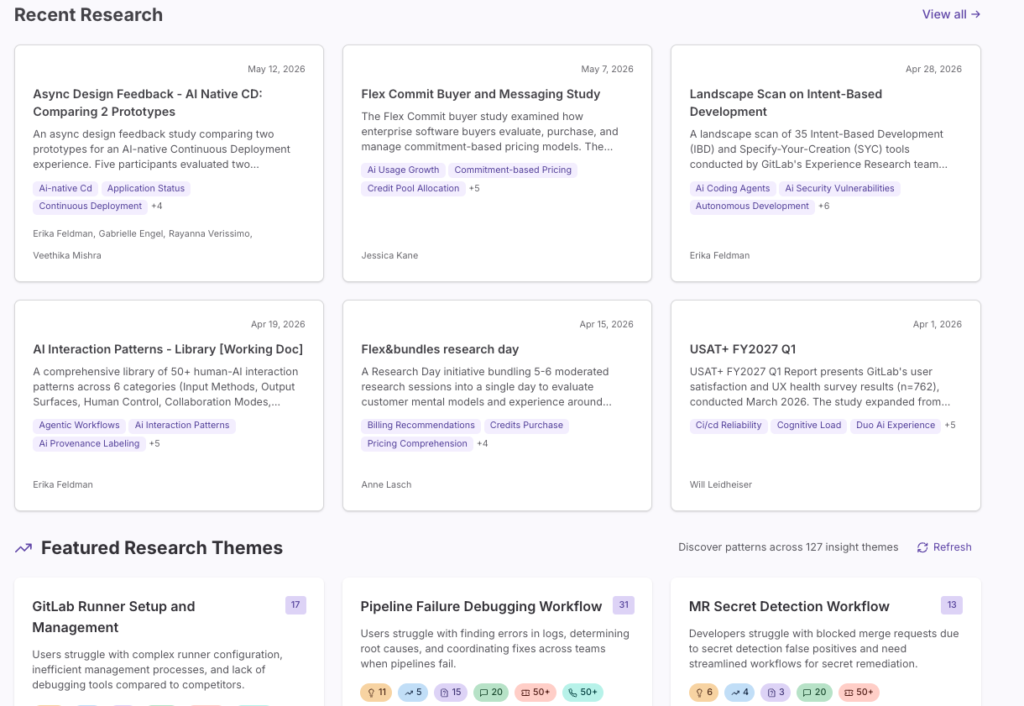
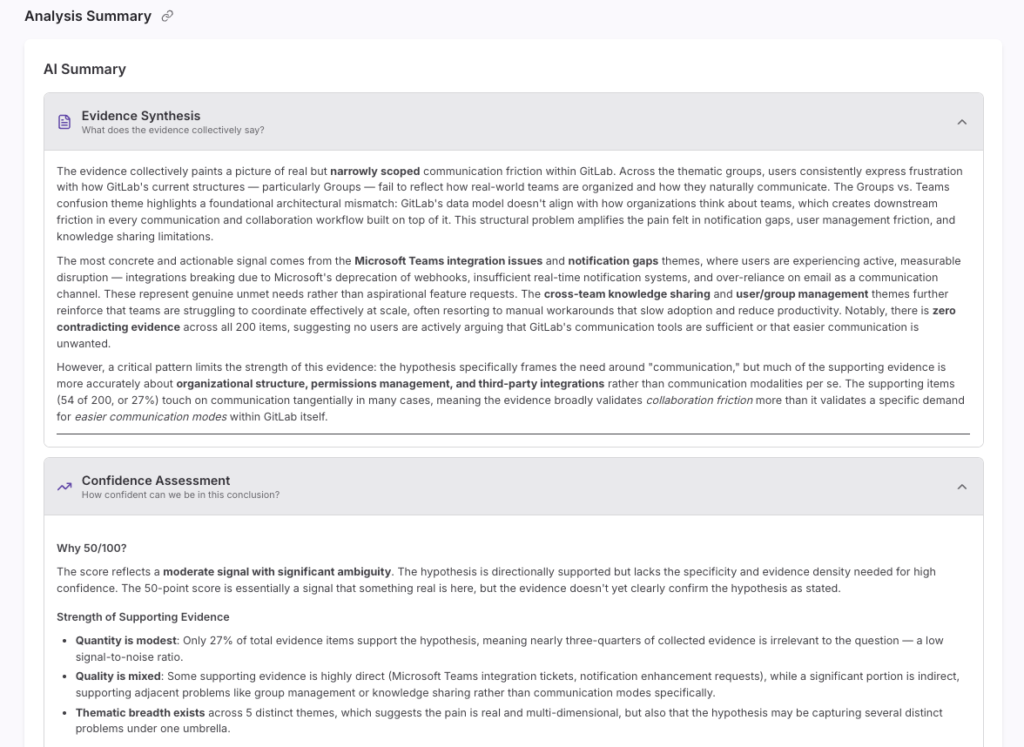
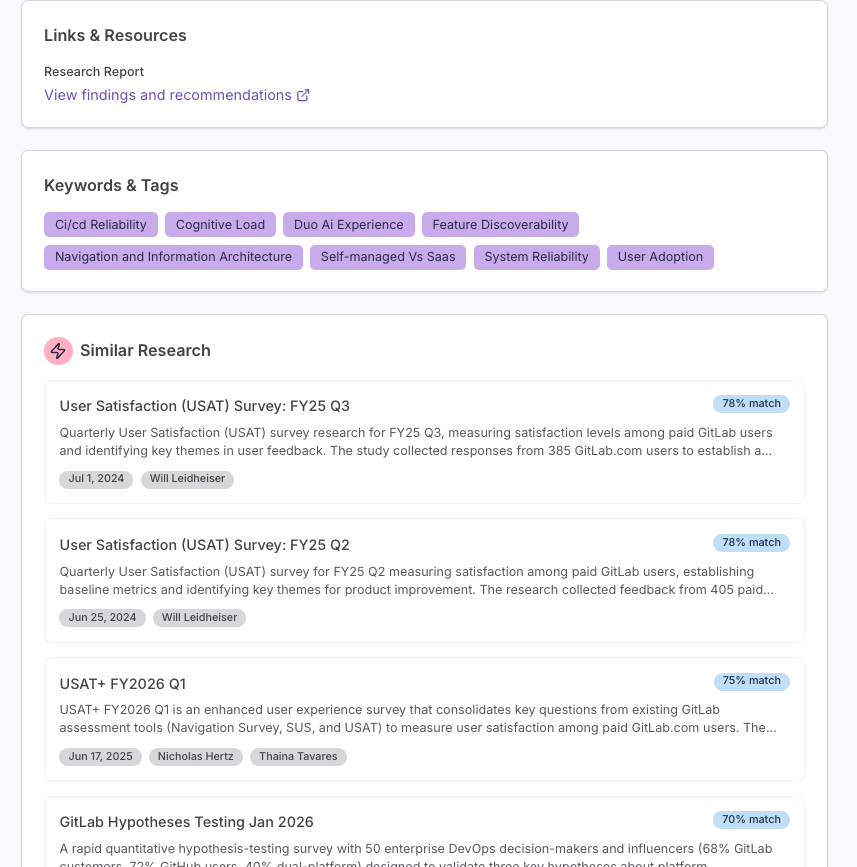
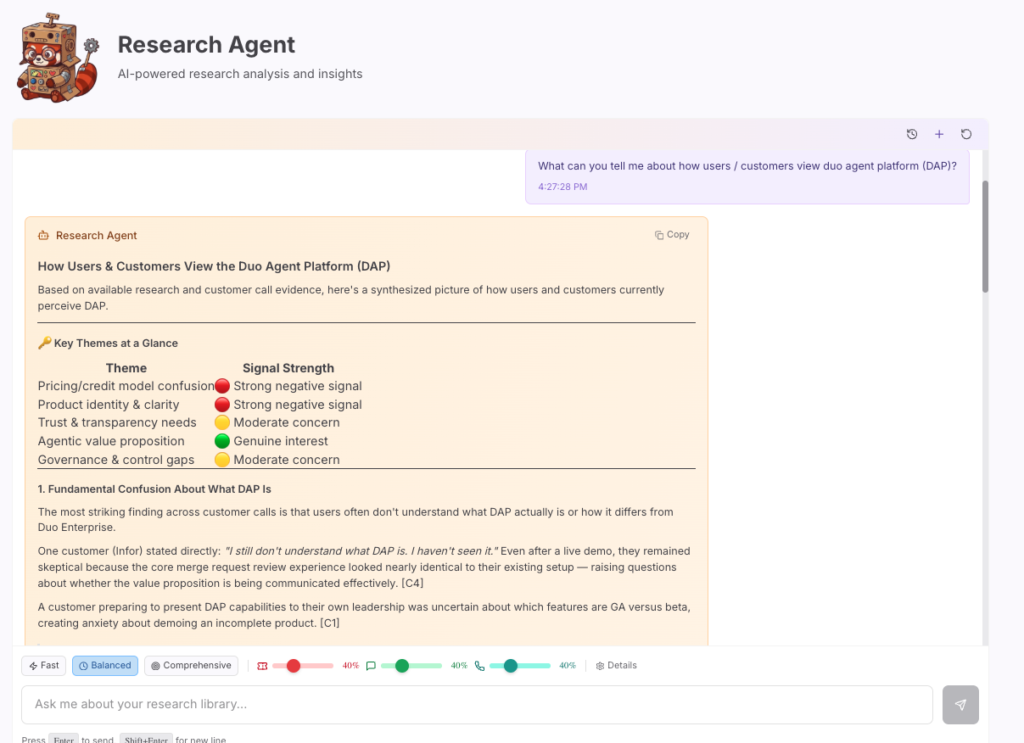
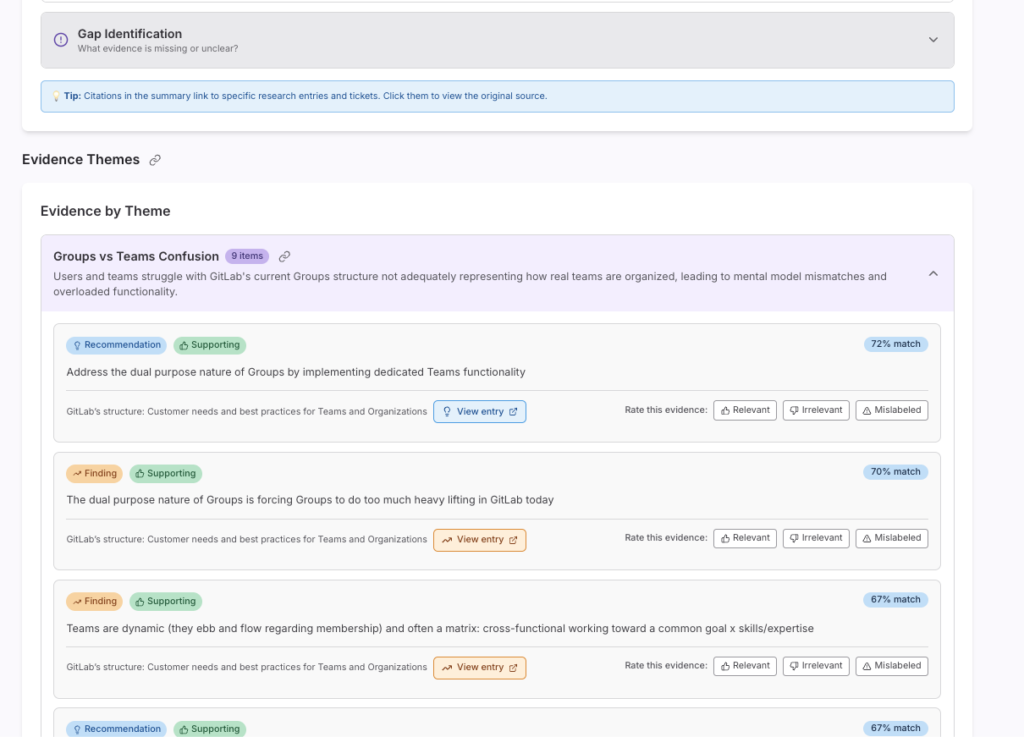
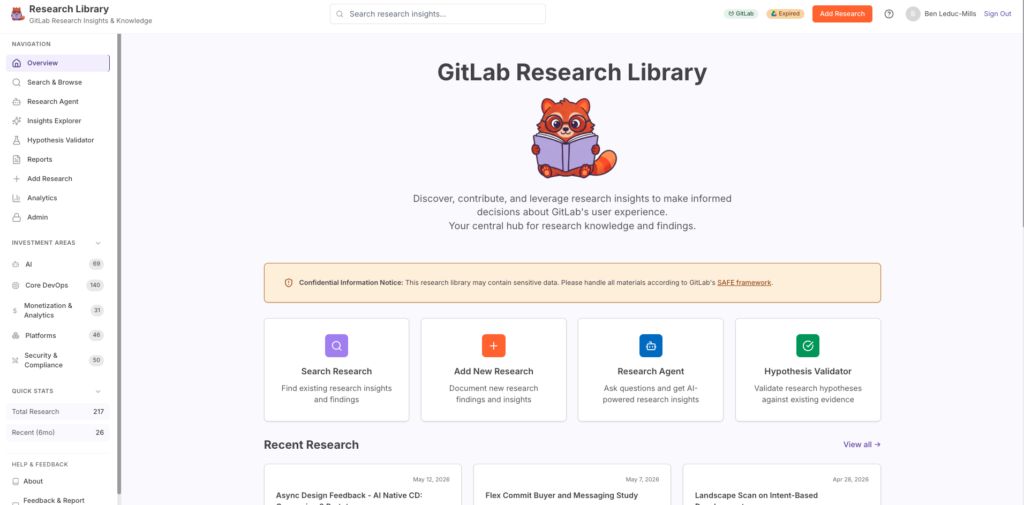
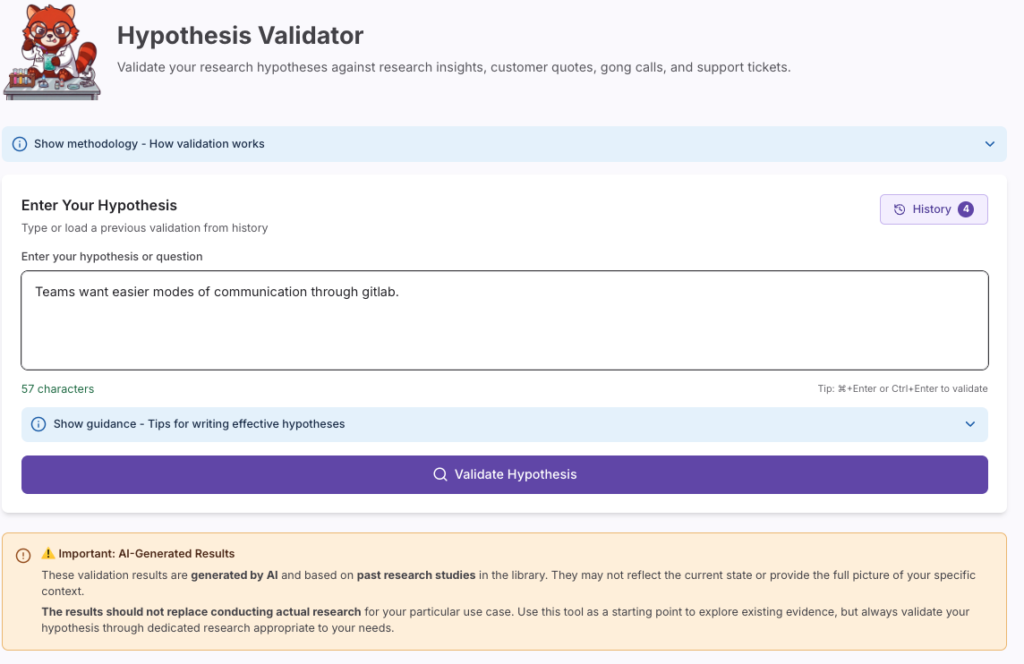
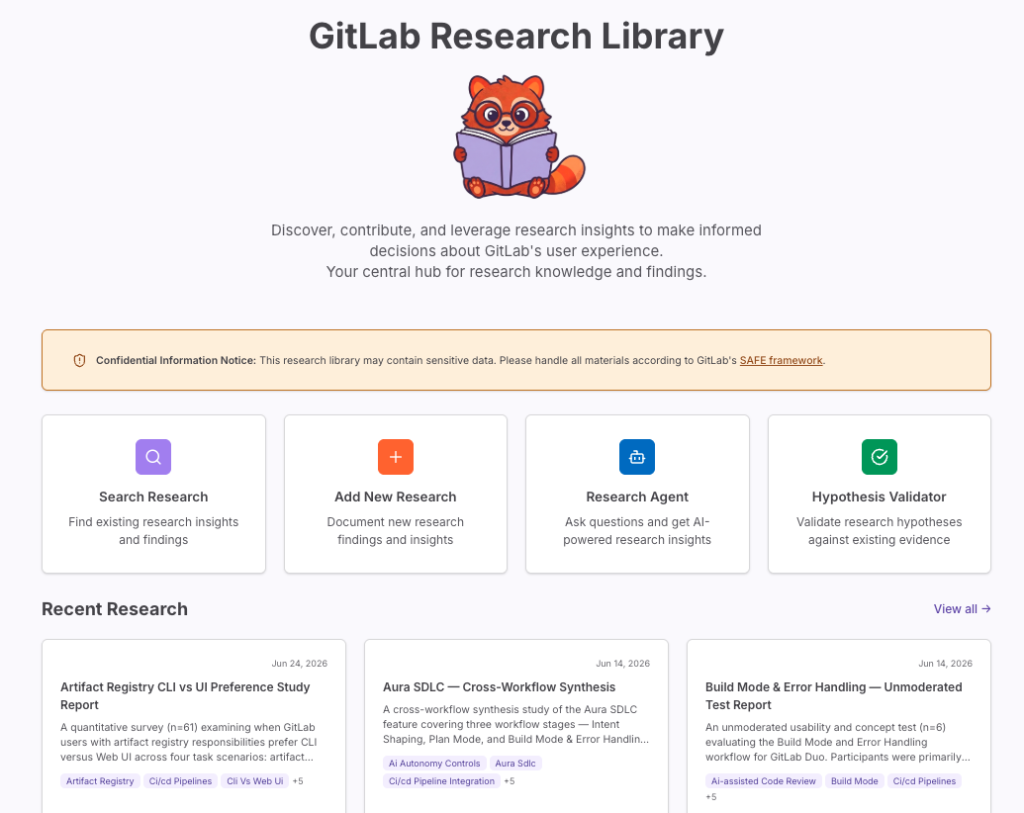
A live repository of 200+ GitLab research reports, with a research agent, a hypothesis validator, and semantic links out to customer quotes, support tickets, and sales calls.
Context & Contributions
GitLab produces a lot of research. By the time I started this project, that meant researchers across the company had each built up their own scattered archive of issues, reports, decks, and Dovetail projects, with no single shared way to search across any of it. If you wanted to know what we already knew about, say, runner setup or pipeline failures, you had to remember who ran that study, or ask around Slack and hope someone else remembered.
I proposed this project and built it myself, with the research team and stakeholders across the company helping shape requirements along the way.
PROJECT DETAILS

ROLE: SOLE ENGINEER & RESEARCHER
PROJECT TYPE: INTERNAL TOOL, SELF-INITIATED
DURATION: Ongoing, actively used
Problem
Research findings at GitLab lived in silos: individual reports, individual Dovetail projects, individual researchers’ heads. There was no way to search across all of it at once, no way to ask a plain-language question and get an answer grounded in existing evidence, and no way to see how a given research finding connected to what customers were actually saying in support tickets or sales calls.
Hypotheses
I believed that if I built a single, searchable home for GitLab’s research, with real AI features layered on top rather than just a glorified file cabinet, researchers, PMs, and other stakeholders would use it to move faster: pulling up prior findings before starting new work, checking a hypothesis against existing evidence before running a whole new study, and seeing connections between research and real customer signal that would otherwise stay buried.
Methods & Process
Understanding
I started by looking at what already existed: research scattered across Google Drive, Dovetail, and individual researchers’ personal systems, with no shared taxonomy and no way to search across sources. I talked with researchers and stakeholders across the company about what they actually needed: fast search, a way to validate a hypothesis against everything we already knew, and a way to see how research connected to raw customer signal in tools like Zendesk and Gong.
Building
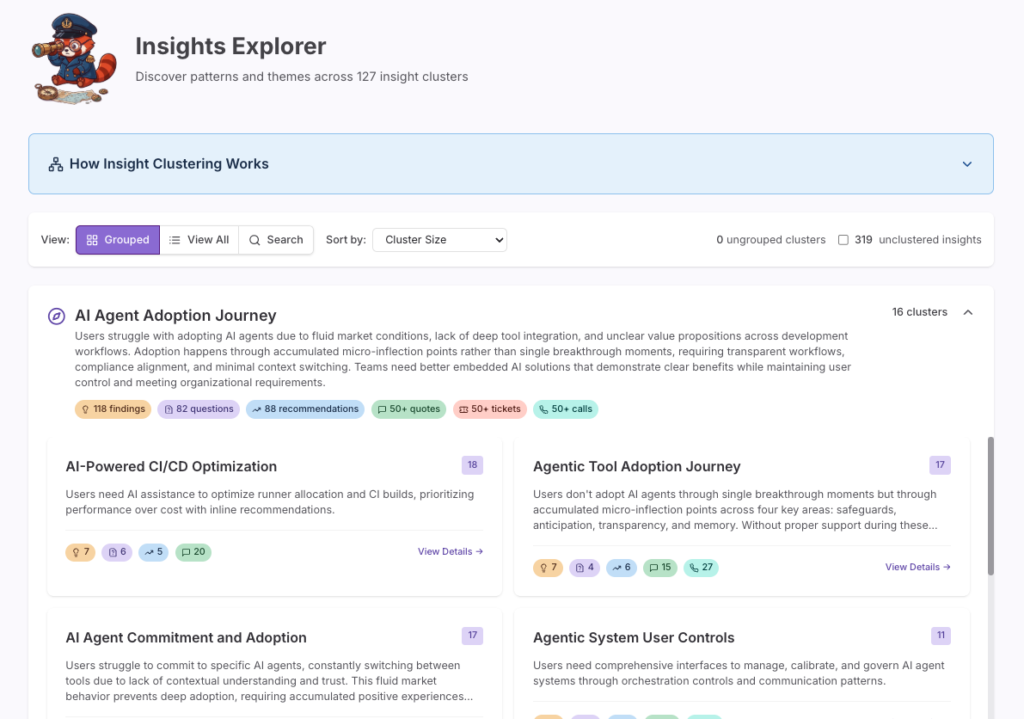
The frontend is React 19 with Vite and TypeScript, styled with Tailwind, using TanStack Query for server state and React Router for navigation, authenticated through GitLab’s own Okta org. The network graph in the Insights Explorer is built with react-force-graph. All told it’s about 80,000 lines of frontend code.
The backend is Express on Node, backed by MySQL, with about 41,000 lines of backend JavaScript plus another 1,600 lines of Python. All of the semantic search and clustering runs on embeddings I generate server-side using a small open-source embedding model, so nothing ML-related ships to the browser. Clustering itself uses HDBSCAN, run as a Python process the Node backend spawns directly rather than a separate service.
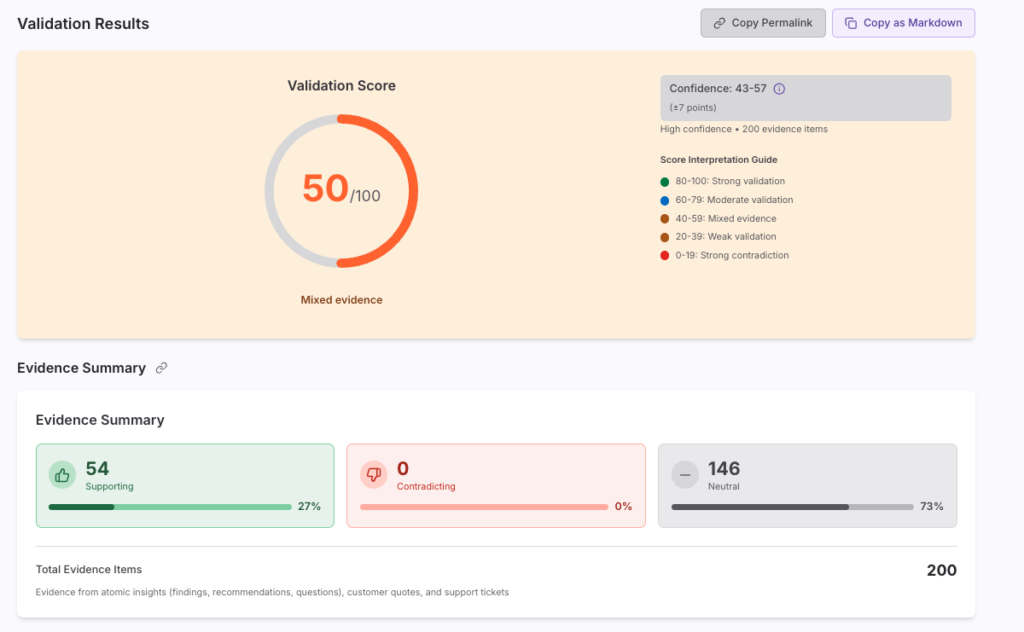
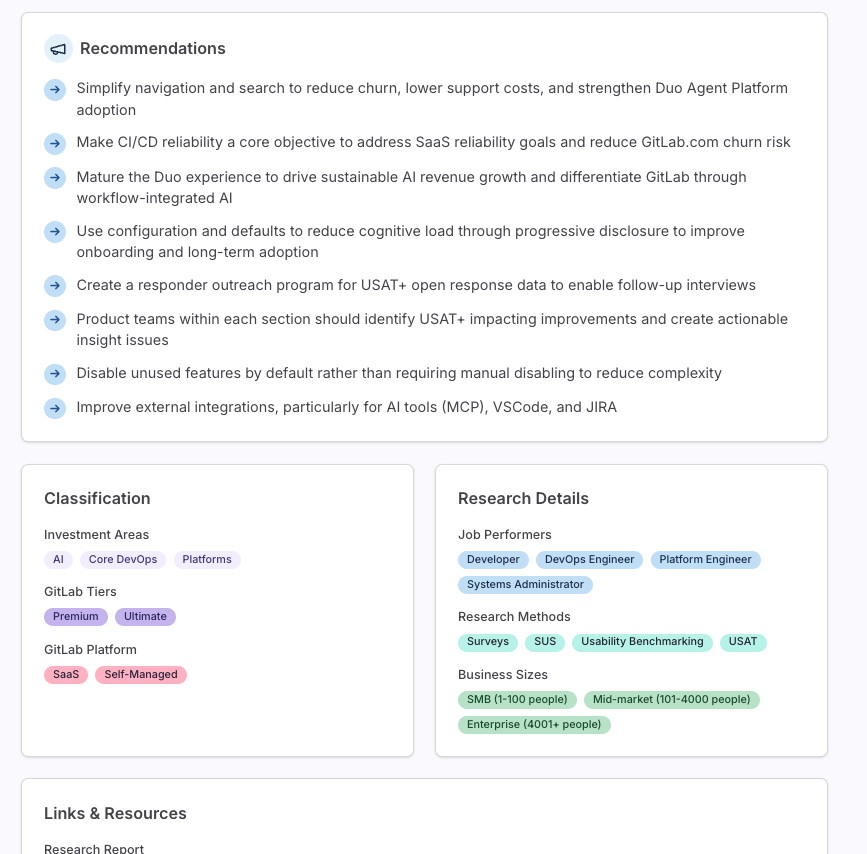
For the AI layer, I split things by task rather than using one model for everything. A fast, cheap model handles intent classification when someone asks the Research Agent a question, routing it across 14 different research domains. A more capable model handles the actual response generation, the import and taxonomy extraction when new research gets added to the library, and all three stages of the Hypothesis Validator (searching for relevant evidence, classifying each piece as supporting, contradicting, or neutral, then summarizing). For cluster theme naming, I only call the model when a cluster’s contents have shifted enough to warrant a new name, comparing new results against old ones and keeping the existing name if they overlap enough. That cuts down on repeat calls for something that doesn’t actually need to change often.
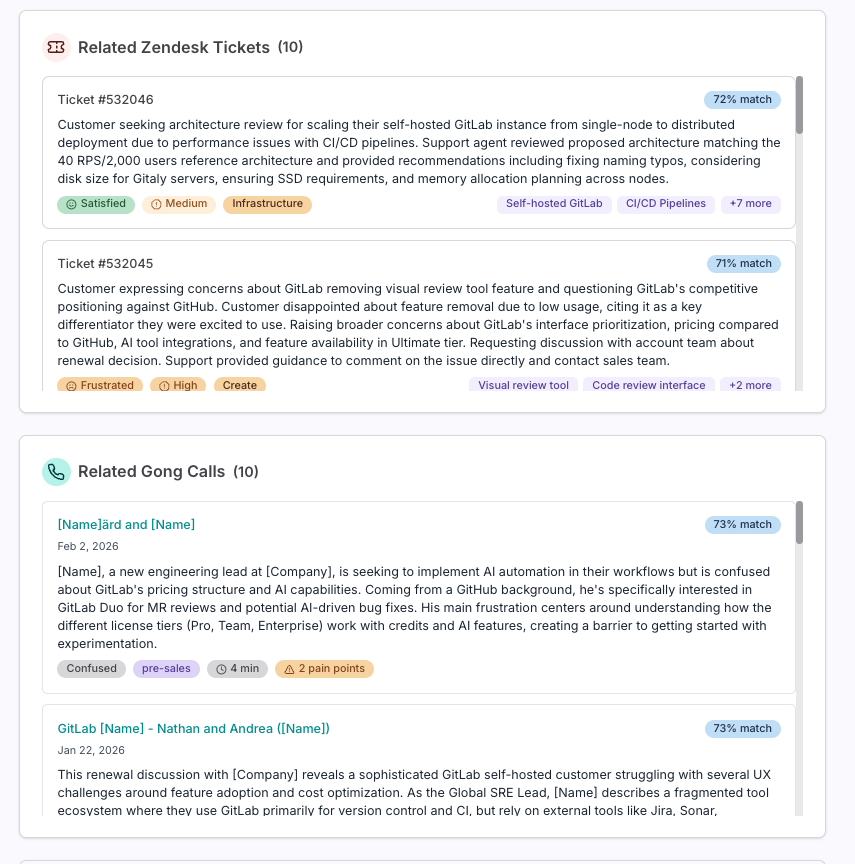
The Zendesk, Gong, and Dovetail integrations all follow the same underlying pattern: pull the external data, embed it with the same model used for everything else in the library, then link it to specific findings, recommendations, and questions based on semantic similarity. Zendesk alone brought in about 76,000 tickets. Each linked item deep-links back out to the original source, whether that’s a Zendesk ticket, a Gong call, or the exact video timestamp of a Dovetail highlight.
Delivering
The library launched with the existing back catalog of research imported and indexed, then kept growing as new research got added and tagged going forward. I’ve kept iterating since launch based on actual usage: which features get picked up, which don’t, and what people ask the Research Agent that it can’t yet answer well.
Findings & Results
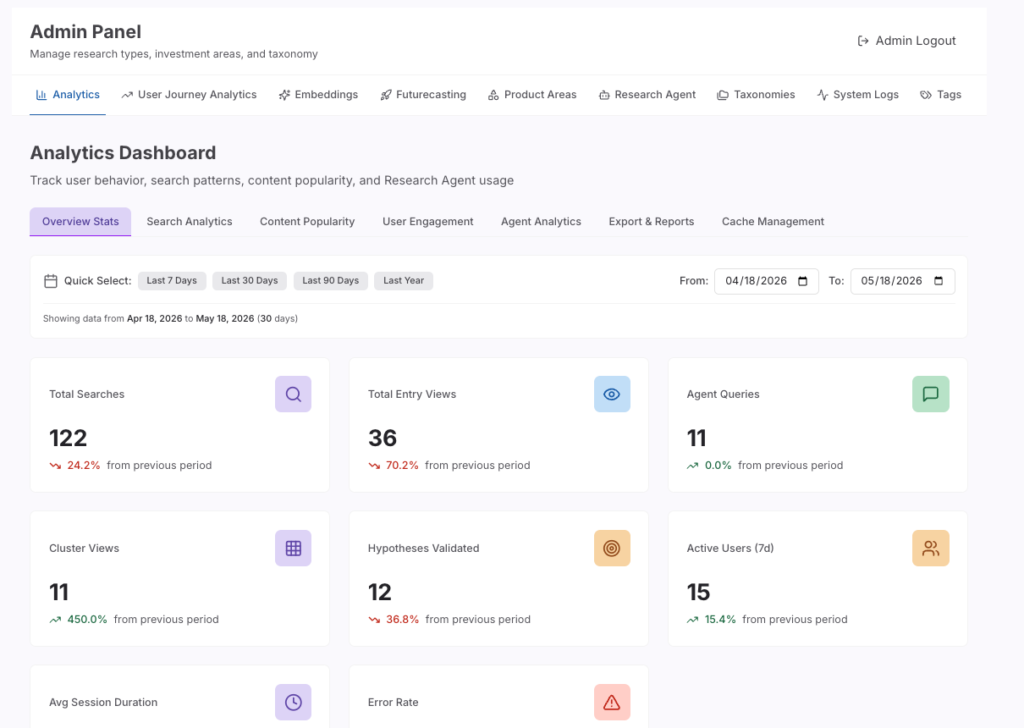
As of now, the library holds over 200 research reports. Looking at a recent 30-day period: 24 people used it, running 226 searches and 102 individual report views. The Research Agent fielded 64 questions from 6 different people. The Hypothesis Validator ran 34 times, averaging a score of 51.5 out of 100 and drawing on roughly 175 pieces of evidence per validation, which tells me people are using it seriously, not just kicking the tires. Interestingly. the most-viewed reports over that period were the Futurecasting series and Project Keystone, both projects I’ve personally worked on.